Follow a glasshouse study through the workspace, from its first question to a decision someone else can pick up.
Project continuity
Can I open a project tomorrow and know exactly where I stopped?
Open its saved plan. The objective, linked sources and recorded work give you a starting point before you give another instruction. Remi can help you review what is still open.
In the glasshouse study, the plan reopens with the same question about light at the east and west benches.
Screen recordingA plan that survives closing the page
Agent teams
How do several agents work on one project without losing the thread?
Give each agent a scoped assignment inside the project. Follow the work from the parent, inspect returned results, and handle approvals where the next action needs your decision. Each agent needs a configured connection.
A researcher can collect observations while a reviewer checks their sources. The project owner can read both results before accepting the conclusion.
Project leadCompare the two benches
Research agentCollect observations
Review agentCheck the source notes
Project leadReview both results
Illustrated exampleTwo assignments, one review
Memory & sources
What does an agent get when you give it project memory?
Give the agent a project, a saved observation and the source that supports it. Scoped memory and citations make it possible to ask where a detail came from and decide whether it belongs in the next task.
“The west bench was shaded” can travel with its observation note. A later agent can inspect that note before using the claim.
ObservationWest bench in partial shade
SourceMorning field note
ScopeGlasshouse field study
Illustrated exampleFollow a claim back to its source
Resident Remi
Can I talk something through and come back to the conversation?
Start a general conversation with Remi, or talk inside a project. Reopen the saved exchange, quote the part that matters, or turn it into a plan. What Remi can recall depends on the history and sources available in that workspace.
An audio designer asks about a 10-millisecond cue, then changes the sample rate. The follow-up can refer to the same cue.
First question10 ms at 48,000 Hz
Follow-upKeep the offset. Use 44,100 Hz.
ResultSample 441
Illustrated exampleOne constraint carried into a follow-up
Project recall
Can Remi find the detail I remember from an old project?
Open a retained project and ask a specific question. Its plans, memory and available sources give Remi material to answer from. You can inspect the supporting entry and distinguish a recorded decision from a new suggestion.
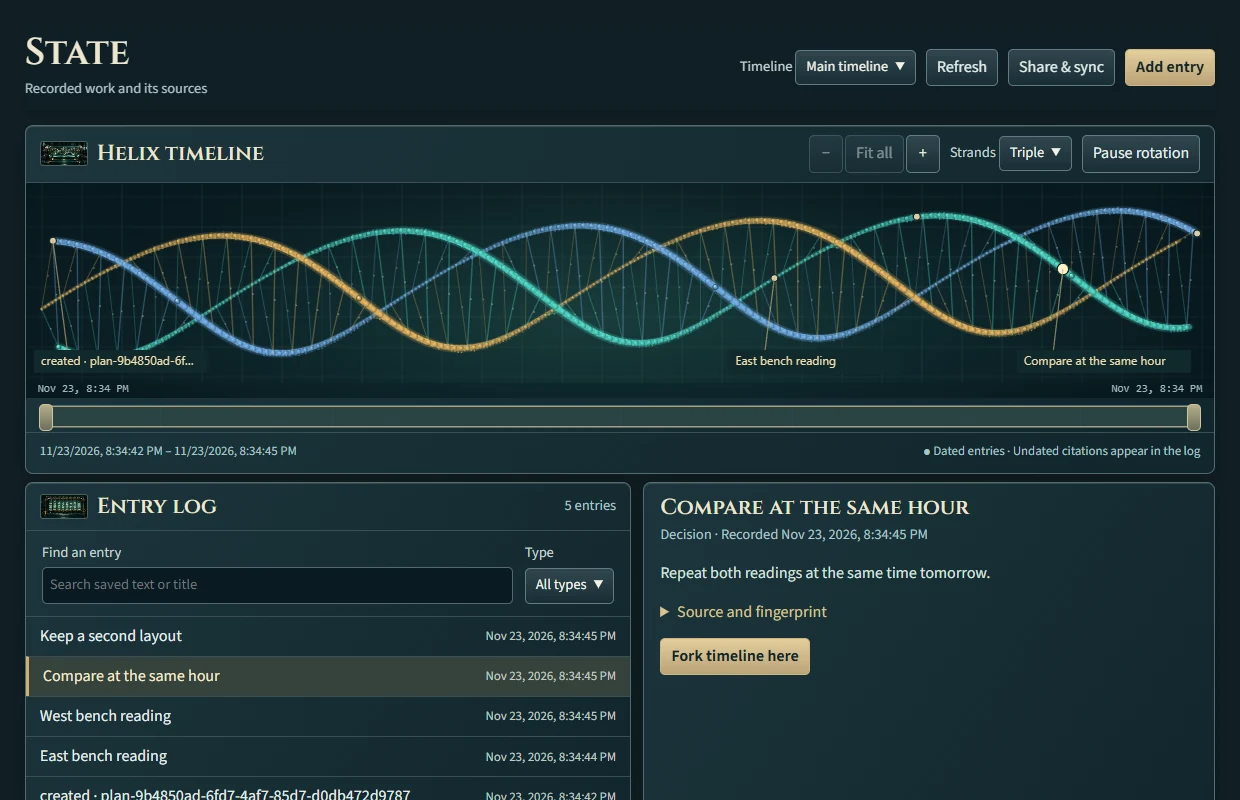
Ask why the team scheduled another morning reading. The decision entry explains that both benches need observations at the same hour.
Workspace captureThe selected decision and its entry log
Collaboration
How do I hand a friend the exact state I want them to see?
Choose the part of the timeline or project to send. Include available source files when the recipient needs the originals. The recipient previews the collection, imports it, and can continue from the received state.
Watch a second, empty workspace read the glasshouse collection, report the entries it will add and import them.
Screen recordingA reviewed transfer into a second workspace
Branches
What if I want to try a different direction from an earlier decision?
Select the decision in State and fork the timeline there. The branch carries the recorded history available at that point, while the original timeline remains available. External tools and files have their own checkpoint requirements.
Here the project branches at “Compare at the same hour.” The new line is named “Alternate bench layout.”
Can a passing question become a research project I can actually follow?
Ask Remi to turn the question into an objective. Define what would count as an answer, attach sources, and give agents distinct jobs. Review the evidence before treating a result as a conclusion.
Is the difference between the benches caused by shade or by the time of day? Design a paired observation that can tell those explanations apart.
QuestionDoes shade explain the difference?
MethodObserve both benches at the same hour
ReviewCompare notes and record uncertainty
Illustrated exampleA question you can test
Creative tools
Can the same project reach Blender, Unreal and Higgsfield?
Design brings creative work into the project. Supported Blender workflows edit and render a saved scene. Unreal workflows can preview a prepared scene in a configured editor. Higgsfield generation uses its connected service. MCP tool access depends on the agent, adapter and permissions you configure.
Build a scene in Blender, export a GLB and inspect it in Unreal. A Higgsfield image can serve as a visual reference when that account is connected.
HiggsfieldVisual reference
BlenderEditable scene and render
GLB exportPortable scene asset
UnrealInspect the preview
Illustrated exampleA scene across creative tools
Shared skills
Can different agents use a method I teach once?
Save the method as a named skill with instructions and supporting files. Agents with access to its catalog can find and apply it. A shared skill describes the method. Each agent still needs the tools and permissions to carry it out.
Save a lighting-review skill that asks for matched camera views and a source image. Give another agent that same review method.
Named skillLighting review
InstructionsMatch camera and reference
Agent actionRun the check with available tools
Illustrated exampleOne method, reusable by a team
Human control
Where do I get a say before the work goes further?
Review the proposed plan, inspect a change, or handle a child agent’s approval from the project. Preparing work, accepting a result, and publishing it are distinct actions you can inspect.
A coding agent proposes a change. Read the difference and its test evidence before choosing whether to accept it or publish anything.
AgentPropose a change
OperatorInspect the difference
ProjectRecord the decision
Illustrated exampleReview before publication
Model choice
Can I use a local model and still bring my own provider account?
Remi can use a compatible local model. The model catalog checks device fit and verifies downloaded files. Supported provider sign-ins and API-key connections are separate choices. A provider subscription covers only the access that provider grants.
The tested starter download comes directly from Hugging Face. Both pinned files could be fetched anonymously. The model runs on the customer’s compatible PC.
LocalVerified model on your PC
Provider sign-inSupported account connection
API keySeparately billed provider usage
Illustrated exampleChoose where the model runs
Your work
What can I take with me if my access ends?
The release is designed to preserve access to your own projects. The Windows recovery workflow reads retained local work and can export it after trial expiry. Original assets must still be available to include them.
Keep the project plan, its selected notes and the available source assets together for the next machine or collaborator.
Saved workProject plan and selected notes
Available assetsInclude the original files
RecipientReview and reopen the collection
Illustrated exampleA portable project collection
The workspace
One place to do the work.
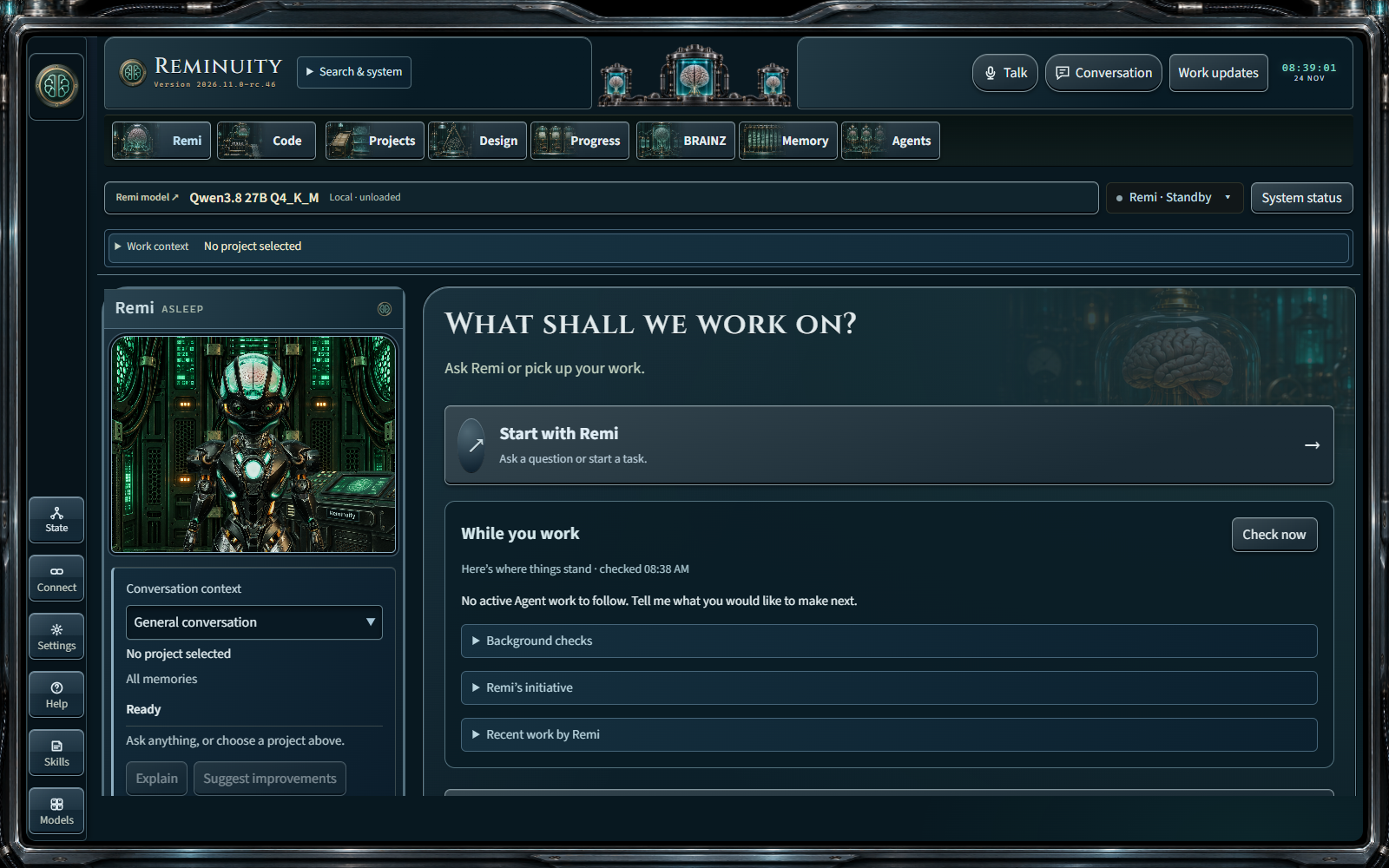
The project is the common thread. Move between conversation, code, creative tools and the record of what happened.
 Reminuity